


Pop Color: Coloring & Painting
3.634.00 Reviews
App Specs
- Version
- 1.0.8
- Updated On
- License
- Free
- Downloads
- 1,000,000+
- Developer
- Dongbasiki
- Categories
- Art & Design
- Platform
- Android
Screenshots
 Analysis by AppCompare
My most useful way to approach a coloring app is to treat it as a small, repeatable break rather than a project I have to finish. Pop Color: Coloring & Painting suits that rhythm: I can choose a picture, settle on a palette, and spend a few minutes filling areas without needing drawing experience or a blank canvas. It is a free art and design app from Dongbasiki, and its straightforward coloring focus makes it easy to understand what kind of creative time it offers.
A simple routine for a short coloring break
I get the best results when I decide what I want from a session before opening a picture. If I have only a few minutes, I pick an image with larger areas and use the broad-fill option to make visible progress. When I have more time, I choose smaller sections and work slowly, using zoom to keep the edges tidy. That small choice changes the experience from quick distraction to focused activity.
A practical everyday use is a quiet pause between tasks: I can sit down with a drink, complete one portion of an image, and stop without feeling that I need to finish the whole page. The undo control is useful here because it lowers the cost of experimenting. I can try an unexpected color, decide it does not work, and reverse the change instead of treating every tap as a commitment.
Settings and choices that shape the session
Sound is worth adjusting to the setting. The included background music may help make a solo break feel calmer, but it will not suit every place or mood. I would turn it off in a shared room, on a commute where I want to hear what is happening around me, or whenever I already have music or a podcast on. That simple choice makes the app easier to fit around the day rather than letting its atmosphere dictate the session.
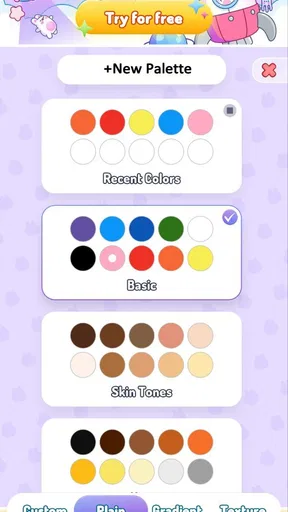
The palette also affects how manageable a picture feels. Instead of switching colors after every small patch, I find it more satisfying to choose a loose color plan first: perhaps a few related shades for one subject, then a contrasting color for a focal area. This is not about making a technically perfect illustration. It is a way to avoid a scattered result and spend less time deciding what to tap next.
Faster habits without rushing the picture
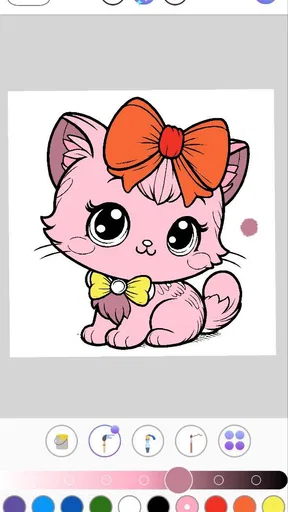
The large-area brush and detailed coloring work best as a pair. I use the quick fill for broad background sections, then zoom in for narrow corners and small shapes. Relying on the broad tool for everything can make the page feel blunt; doing every part at close range can make a simple picture take longer than I want. Switching modes according to the size of the area is the most useful habit I have found.
I also try to finish one color family at a time instead of hopping around the page. That keeps the session calmer and makes it easier to notice where a shade is becoming dominant. If I am interrupted, I can return to the same palette choice rather than rebuilding a color plan from scratch. It is a modest workflow improvement, but it matters when the app is being used in short gaps.
Worth Reading Before You Choose

EA SPORTS FC Mobile 26 Is a Bigger Football Game, but It Takes Time

Flipboard Shows What News Apps Must Do Beyond the Feed

Switching to Android Auto Means Rethinking Your Driving Routine

Google Calendar Makes a Crowded Week Easier to Manage

Ludo King Makes the Most of the Minutes Between Plans

Baby Panda World Brings Quick Play to Modern Phones, but Its Game Library Feels Busy
Where this kind of coloring app has limits
This is a better fit for guided coloring than for making an illustration from a blank page. People who want layers, freehand brush control, custom canvases, or a professional drawing workflow should look at a dedicated art tool instead. Pop Color is appealing precisely because it narrows the task, but that simplicity also limits how much control an experienced digital artist may want.
There is another trade-off in choosing ready-made images: the finished result depends heavily on the picture and its available palette. A careful color scheme can make a page feel personal, but it is still a guided design rather than an original composition drawn from scratch. I would choose it for a low-pressure pastime, not as a replacement for a sketching app or a serious creative workspace.
Who is likely to enjoy it
I can see this working especially well for someone who wants an easy activity to pick up and put down, including a beginner who feels unsure about drawing. It also makes sense for families looking for a simple creative option that does not demand advanced skills; the app is rated for Everyone. Someone who enjoys slow, detailed work can use the zoomed view, while someone with little time can stick to larger areas and shorter sessions.
I would be more cautious if you are easily frustrated by repetitive tapping or prefer making every mark yourself. Coloring inside prepared images can feel relaxing to one person and restrictive to another. If you want more freedom than a coloring-page format gives, a blank-canvas drawing app is likely the better choice; if you mainly want an uncomplicated way to spend a spare moment, this focused approach has a clearer advantage.
Getting Started with Pop Color
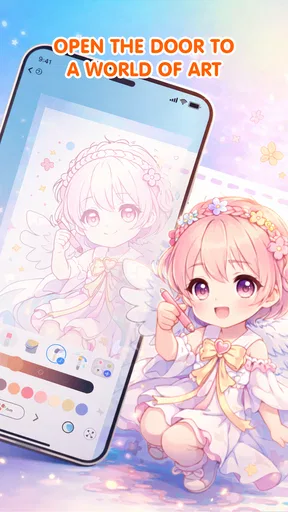
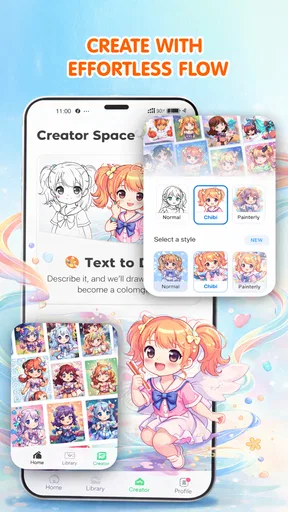
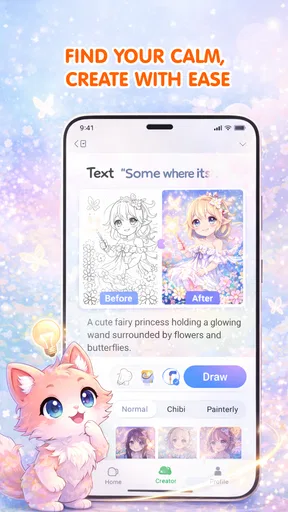
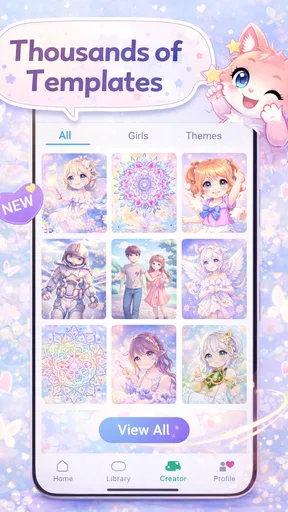
The first thing I noticed about Pop Color is its user-friendly interface. Once you open the app, you're greeted with a vibrant gallery of images just waiting to be brought to life. From intricate mandalas to whimsical animals, there's something for everyone. It’s like a candy store for the creatively inclined!
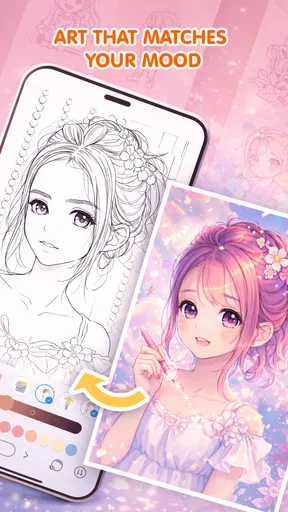
Getting started is as simple as picking an image and tapping away. The app offers a satisfying array of colors, neatly organized in palettes. Whether you’re in the mood for something bold or a bit more pastel, it’s all there. The app seems to know what you need before you do, which is pretty impressive.
Features That Pop
What sets this app apart is its attention to detail. Each image is meticulously crafted, and the zoom-in feature ensures you don’t miss a single detail. I found myself spending hours perfecting the tiniest sections, and let me tell you, it’s oddly therapeutic.
One of my favorite features is the "magic brush." It allows you to color large sections with just a tap, perfect for those who want to see quick results. Plus, there's a nifty "undo" button for those inevitable slip-ups. We’ve all been there!
Why You'll Love It
If you’re anything like me, you’ll appreciate the soothing background music that accompanies your coloring sessions. It’s like a warm hug for your ears. You can also turn it off if you prefer silence or your own playlist. Flexibility is key, and Pop Color delivers.
For those who love a challenge, the app offers different difficulty levels. Some images are straightforward, while others demand a little more patience and skill. But trust me, the satisfaction of finishing a complex piece is worth every minute.
Sharing Your Masterpieces
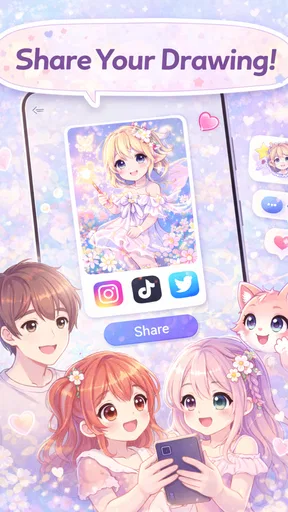
Once your masterpiece is complete, the app makes it super easy to share your creation with friends or on social media. A quick tap exports your artwork in high resolution, ensuring it looks just as stunning as you intended. You might even find yourself getting a few likes and comments from fellow color enthusiasts!
The app also offers a community feature where you can browse and get inspired by others’ work. It’s like having a virtual gallery in your pocket, and you’ll be amazed at the creativity out there.
A practical fit, with a few buying considerations
The wider context may help set expectations. It has an average rating of 3.9 from around a thousand ratings, and it has passed a million installs. Those figures suggest a sizable audience, but they do not tell me whether its particular style will suit you; the best test is whether you enjoy choosing from prepared designs and coloring them at your own pace.
The app is free to download, with in-app purchases ranging from $4.99 to $19.99 per item. I would approach those purchases as optional spending rather than something to decide on before trying the basic experience. If you are only looking for an occasional coloring break, start with what is available without paying and judge whether you return to it. If you are comparing it with free drawing tools, remember that the appeal here is guided pages and a more contained activity, not unrestricted creation.
Its listed release date is February 25, 2026, and the current version is 1.0.3, with Android 8.0 as the minimum operating system. That makes the compatibility question simple for Android users: check the device’s OS before installing. These details are most useful when deciding whether it will run on an older phone, rather than as a measure of how enjoyable the coloring itself is.
Final Thoughts
In a world that often feels chaotic, Pop Color: Coloring & Painting is a delightful oasis. It’s more than just an app; it’s a stress-reliever, a creative outlet, and a space where you can lose yourself, even if just for a few moments. Whether you’re a seasoned artist or just looking for something fun to do on your commute, this app has got you covered.
So, if you’re ready to add a splash of color to your day, why not give it a try? You might just find yourself hooked, one shade at a time.
My verdict on making it a habit
For me, the strongest reason to try this app is that it gives a small break a clear shape: select an image, pick a palette, color a section, and stop when the moment is over. The zoom and broad-fill tools support two different paces, and undo makes experimentation feel low-risk. Those details make it more useful than a passive way to pass time, especially for someone who likes visible progress without having to invent a subject.
I would not recommend it as a substitute for a full drawing studio, and I would not assume every person will find coloring calming. Repeated taps and preset artwork are part of the format, not problems that can be solved by a clever workflow. But if that format sounds appealing, it is a friendly option to test in a spare moment. My best advice is to keep the first session short, choose a picture whose detail level matches your available time, and decide afterward whether you want a quick fill or a more careful project next time.
Pros
- Intuitive interface for easy navigation.
- Wide variety of coloring pages available.
- Regular updates with new content.
- Supports offline use after initial download.
- Great for stress relief and relaxation.
Cons
- Contains ads that can be intrusive.
- Limited free content without in-app purchases.
- Some advanced features require a subscription.
- Occasional crashes reported by users.
- Color palette could be more extensive.
FAQs for Pop Color: Coloring & Painting
What is Pop Color: Coloring & Painting?
Pop Color: Coloring & Painting is a creative app designed for users of all ages to explore their artistic side through digital coloring. It offers a wide variety of drawings and patterns ranging from simple shapes to intricate designs, allowing users to select colors and apply them with a tap. The app is perfect for relaxation and enhancing creativity.
Is Pop Color: Coloring & Painting free to use?
Pop Color offers a free version with a selection of coloring pages and tools. However, to access a wider range of designs and advanced features, users may need to purchase a subscription or make in-app purchases. These options remove ads and unlock premium content, enhancing the overall user experience.
What features does Pop Color: Coloring & Painting offer?
The app includes numerous features like a vast library of images, a palette with diverse color options, and various brush styles. Users can also enjoy effects like gradients and textures. Additionally, Pop Color provides a save and share function, allowing users to showcase their creations on social media platforms.
Is Pop Color suitable for children?
Yes, Pop Color is suitable for children as it provides a user-friendly interface and a range of kid-friendly designs. The app encourages creativity and concentration, making it an excellent tool for kids to develop their artistic skills. Parents should review in-app purchase options to ensure a controlled environment for their children.
Does Pop Color require an internet connection?
Pop Color can be used offline once the app and its resources are downloaded. However, an internet connection is required for updates, downloading new coloring pages, and accessing certain features like sharing your artwork online. This flexibility makes it convenient for use during travel or in areas with limited connectivity.


